

Unlock AMD’s FSR Redstone for Any Game With Optiscaler
In the gaming world, innovation is constant, and AMD’s recent release of the FSR Redstone suite is no exception. This cutting-edge package includes Machine Learning (ML) enhanced features such as FSR Ray Regeneration and Neural Radiance Caching. A highlight is the revamped Frame Generation solution, which employs a new ML algorithm to enhance frame quality. However, this advanced technology is currently limited to roughly 30 titles already supporting FSR 3.14+, leaving many gamers eager for broader compatibility.
AMD’s FSR Redstone: Limited Reach and Community Efforts
While AMD’s enhancements offer exciting potential, they currently lag behind NVIDIA’s DLSS4 MFG, which is supported by over 175 games as of August. However, the gaming community has taken initiative, quickly stepping up to extend the reach of these innovations. Just a day after AMD’s public release, Optiscaler developers announced basic Redstone support via an FFX 2.1 SDK upgrade. This means that any game with basic upscaling support can technically utilize AMD’s latest FSR FG, although optimal results rely on DLSS FG inputs.
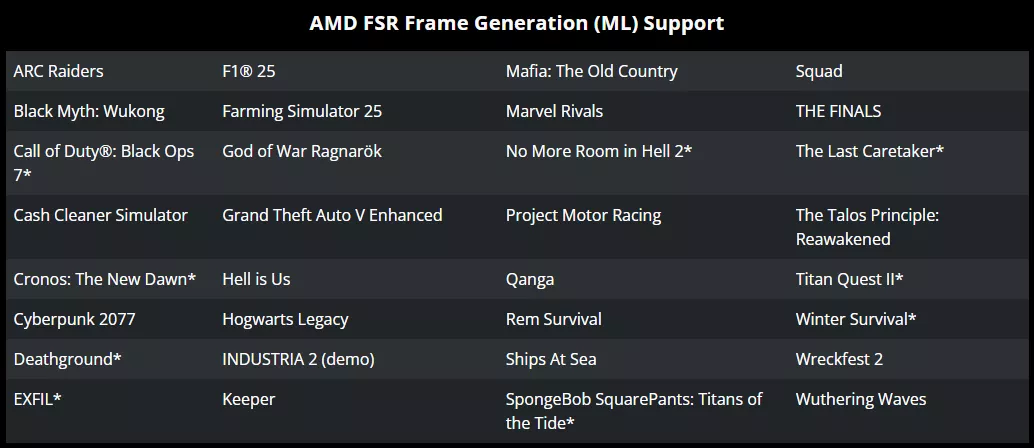
The Optiscaler update allows games with basic upscaling to utilize AMD’s FSR FG, although best results come from DLSS FG inputs.
Installation and Configuration: A Step-by-Step Guide
To experience these advancements, the first step is to join the Optiscaler Discord for access to pre-release build 1215. Afterward, install Optiscaler according to the detailed instructions provided here. The process involves extracting the Optiscaler folder, copying its contents to the game’s directory, and running setup_windows.bat. During setup, input ‘1’ to spoof Nvidia inputs as prompted.
- Extract the Optiscaler folder.
- Copy the contents into the game’s directory (where the .exe file is)
- Run setup_windows.bat
- Repeatedly input 1 and press enter until the setup process completes.
With Optiscaler installed, you can start the game, ready to explore the updated Frame Generation technology.
Streamline SDK: Two Configuration Options
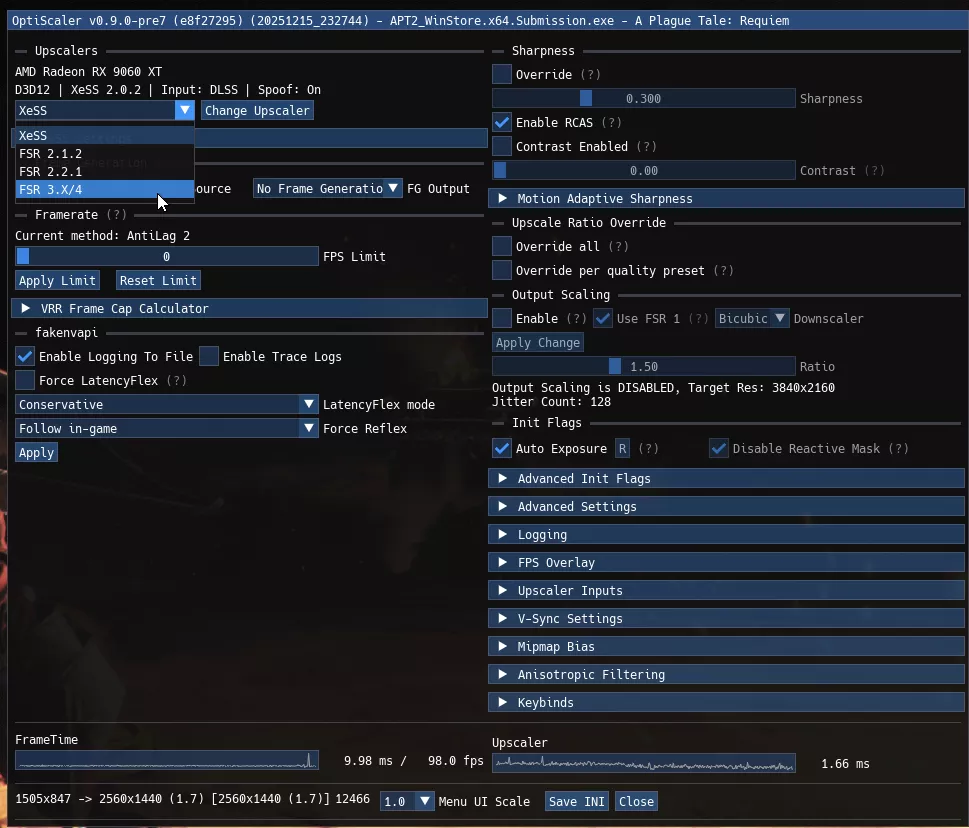
For games supporting DLSS FG via Streamline SDK 1, like A Plague Tale: Requiem, you will need to use OptiFG. Begin by enabling DLSS Upscaling in the game, then adjust the upscaler to FSR4 through the Optiscaler menu. Save and restart the game to apply changes.
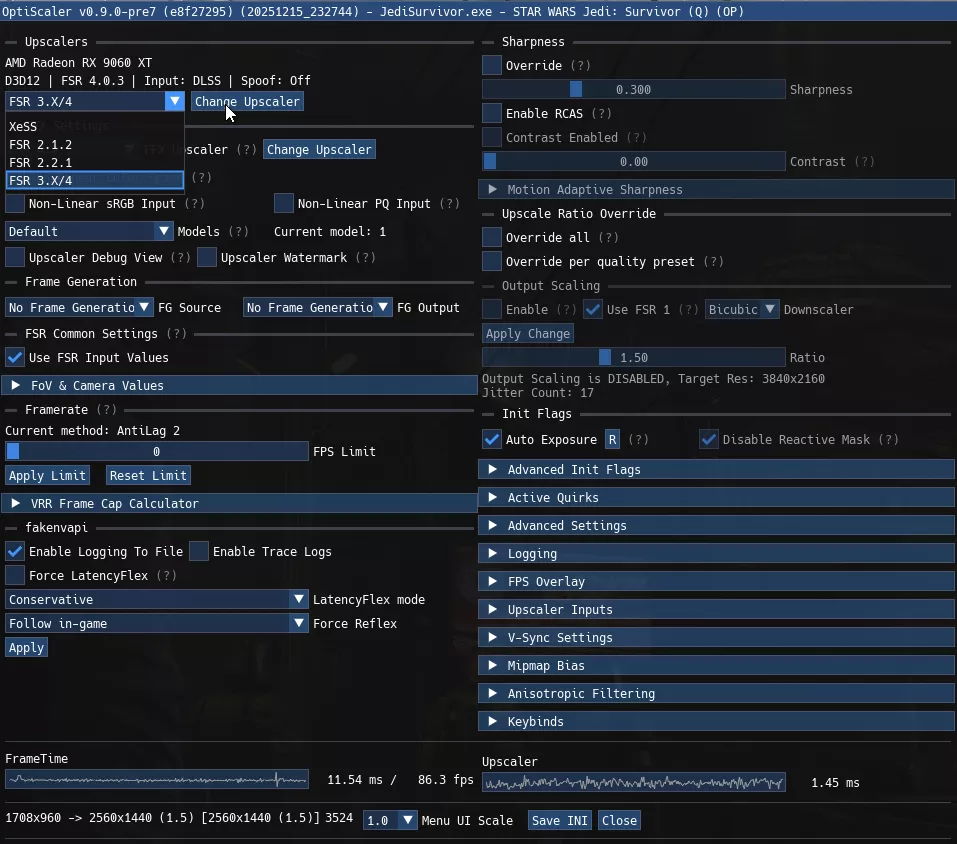
For Streamline SDK 2 enabled games like Star Wars: Jedi Survivor, extract Optiscaler to the game’s directory and use Optipatcher for seamless DLSS input usage. This approach delivers smoother performance without spoofing penalties.
These advancements highlight the dynamic nature of the gaming technology landscape, promising enhanced visual experiences for players worldwide.