
XGODY Gimbal N6 PRO Review: Promising Start, Room for Improvement
XGODY Gimbal N6 Pro
Type
Projector
Price
$199
The appeal of projectors has significantly risen as they present an ideal solution for immersive movie watching and gaming experiences. Standing out in the budget category is the XGODY Gimbal N6 Pro projector, offering native 1080p content support at an enticing price of $199. For those seeking quality without a hefty price tag, this projector emerges as a noteworthy contender.
In the competitive landscape of budget projectors that fall within the $100-$200 range, manufacturers are enhancing their offerings with robust specifications. While budget choices do come with constraints, advancements have led to improved interfaces, built-in applications, faster response times, and comprehensive support for external devices like PCs and consoles.
Previously, the Dangbei N2 Mini was noted for its solid specs at $229, yet its performance in bright settings was an issue. The Gimbal N6 Pro, with a promised brightness of up to 700 ANSI lumens, aims to rectify this shortfall. Delving deeper into its features, we strive to determine its standing among rivals at a slightly reduced price.
Box Contents
Setting itself apart from typical entry-level packages, the Gimbal N6 Pro includes essentials such as a cleaning kit and HDMI cable, which are crucial for quick start-ups, especially useful for console gaming or connecting to PCs.
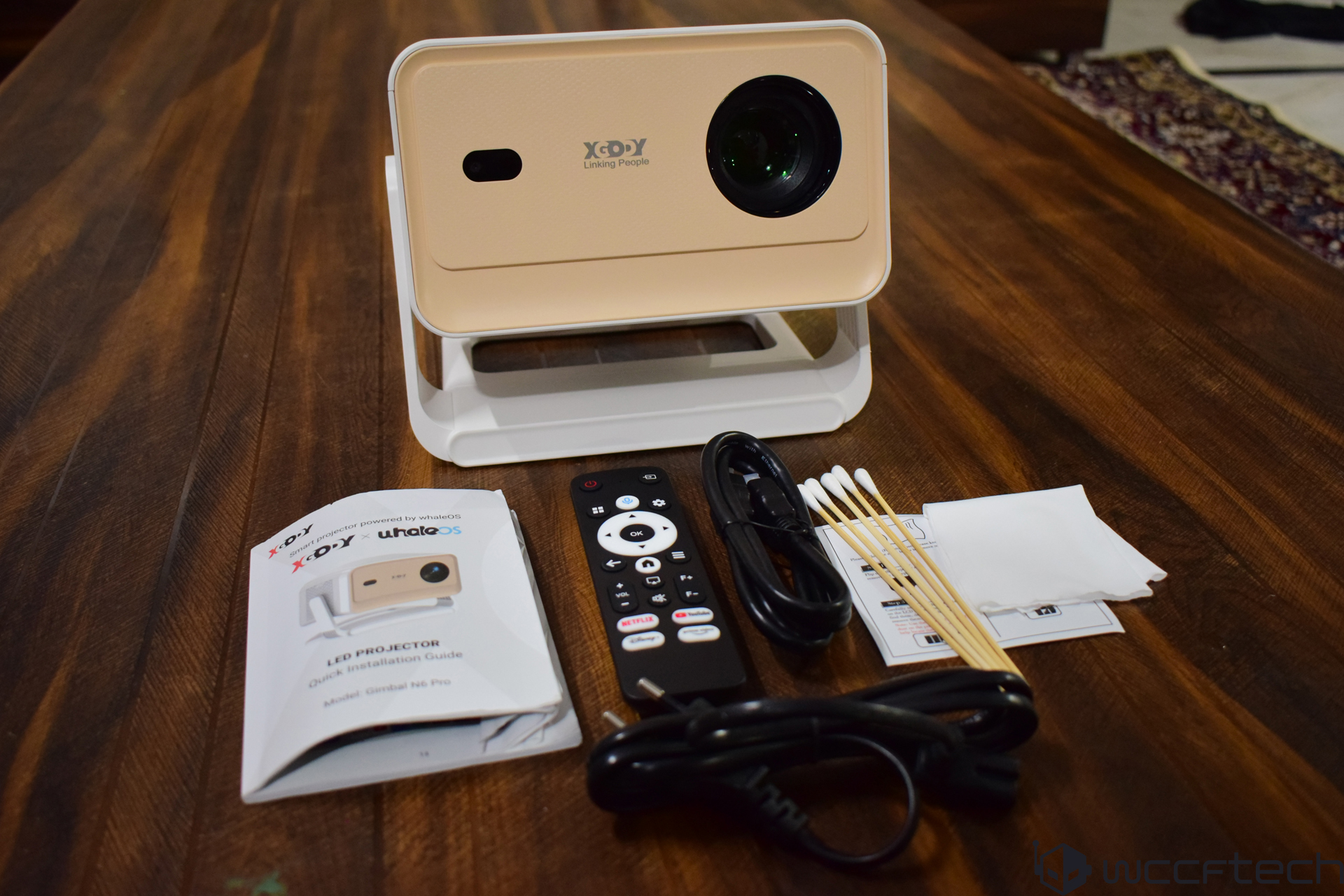
- Gimbal N6 Pro projector
- User Manual
- Remote control
- Power cable
- HDMI cable
- Cleaning kit
Technical Specifications and Features
| Spec | Value |
|---|---|
| Native resolution | 1920×1080p (Full HD) |
| Brightness | ~ 700 ANSI lumens |
| Contrast ratio | ~ 5000:1 (claimed) |
| Light source / life | LED, ~30,000 hours |
| Projection size | ~40-200″ diagonal |
| Throw distance | ~1-5 m (varies) |
| Connectivity | HDMI, USB, WiFi 6, Bluetooth 5.4 |
| OS | Whale OS (Android-based) |
| Built-in speaker | 1 × 5W |
| Installation flexibility | 180° adjustable joint, autofocus & keystone |
| Noise level | <35 dB (claimed) |
The Gimbal N6 Pro distinguishes itself with a native 1080p resolution and a brightness of up to 700 ANSI lumens, outshining rivals like the Dangbei N2 Mini. This improved brightness makes it a viable option for use in brighter spaces. With a claimed contrast ratio of 5000:1, the projector is poised to deliver darker blacks and superior image quality.
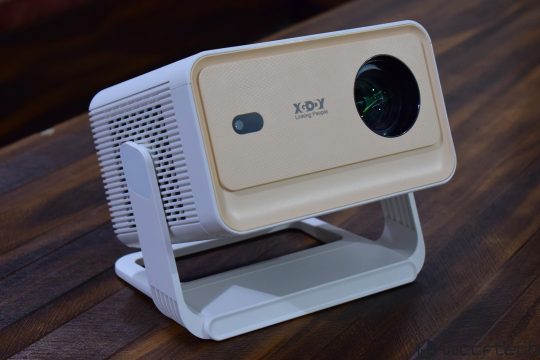
The Gimbal N6 Pro’s design features a beige plastic chassis which might not feel as robust as other budget projectors. Despite its seemingly fragile stand, it offers a 180° hinge for easy adjustments and remains stable on flat surfaces. This projector can handle a range of projection sizes but is optimal for smaller projections. It runs on Android-based Whale OS, supporting streaming platforms like Netflix, YouTube, and Amazon Prime.
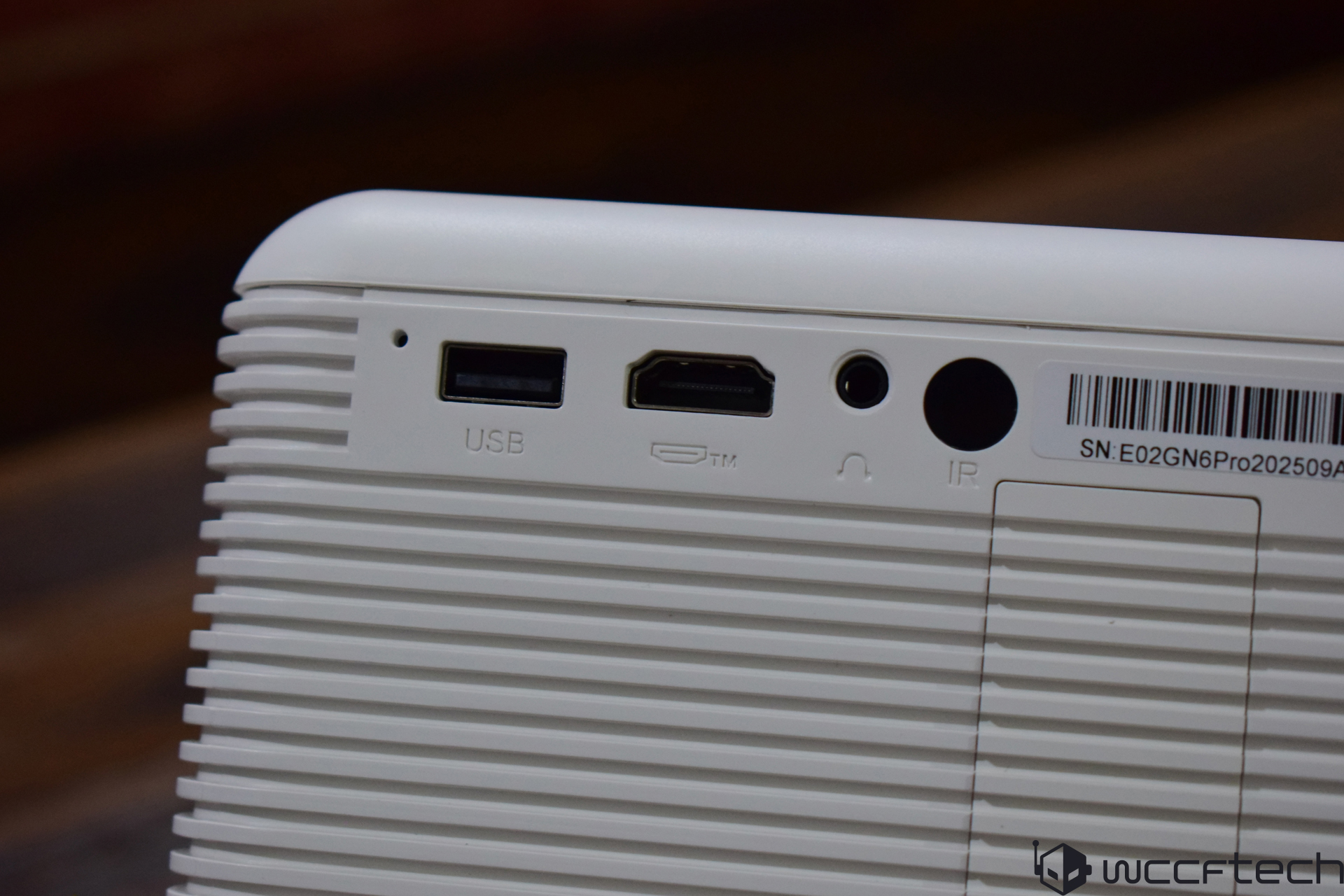
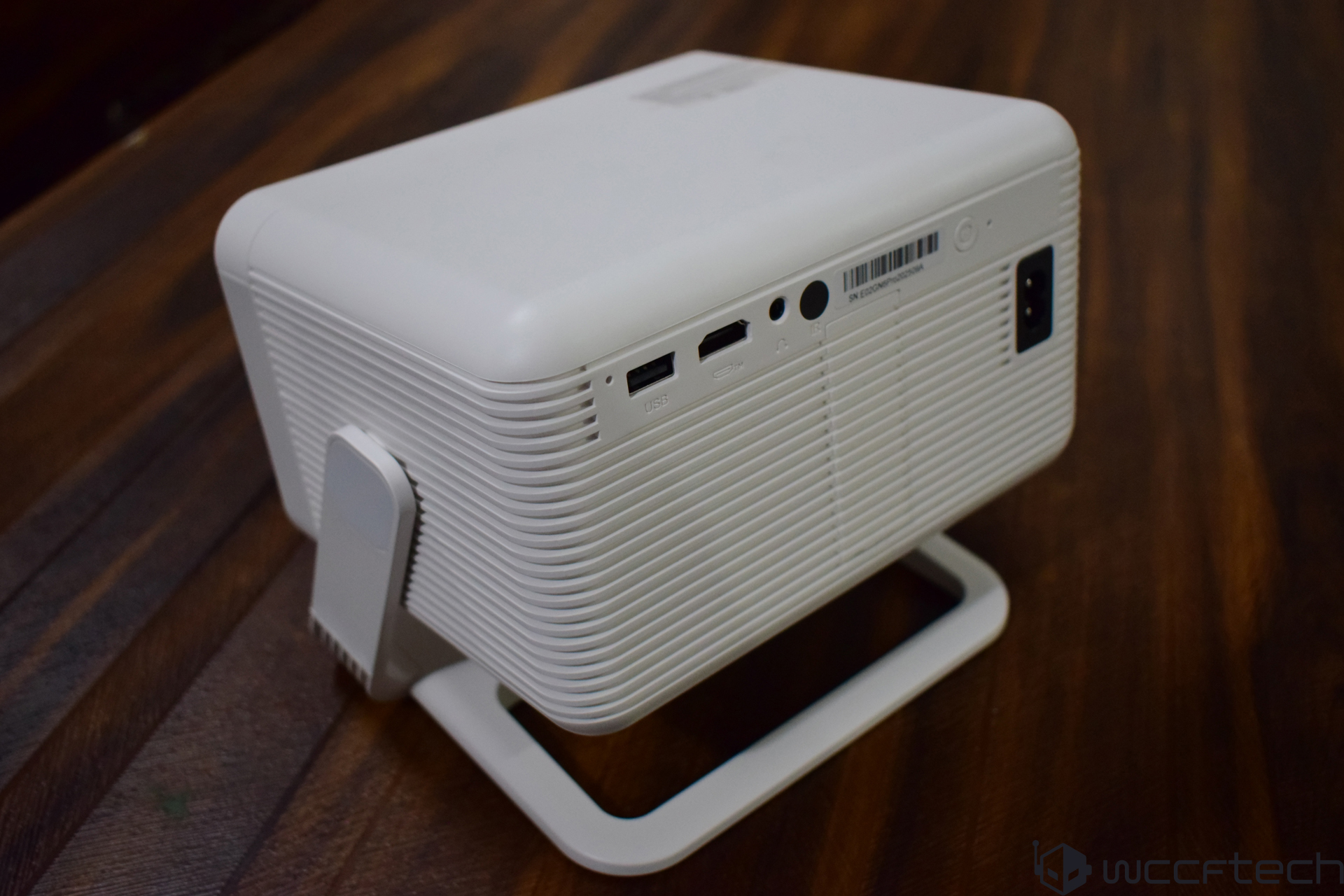
The projector includes a 5W speaker and supports Bluetooth mode for audio playback. It also features a 3.5mm audio jack and a USB Type A port for connectivity, along with an HDMI connector for connecting external devices like PCs and consoles.
With its fast WiFi 6 adapter, the N6 Pro doesn’t include a LAN port, which isn’t uncommon for compact budget projectors focused on portability. Overall, the XGODY Gimbal N6 Pro presents itself as a versatile and budget-friendly 1080p projector, yet our extended use reveals much about its practicality and performance.
Interface and Settings
The N6 Pro operates on the simple Whale OS, providing users with a straightforward settings dashboard. This includes options for adjusting lens settings, picture modes, and other personalized settings.
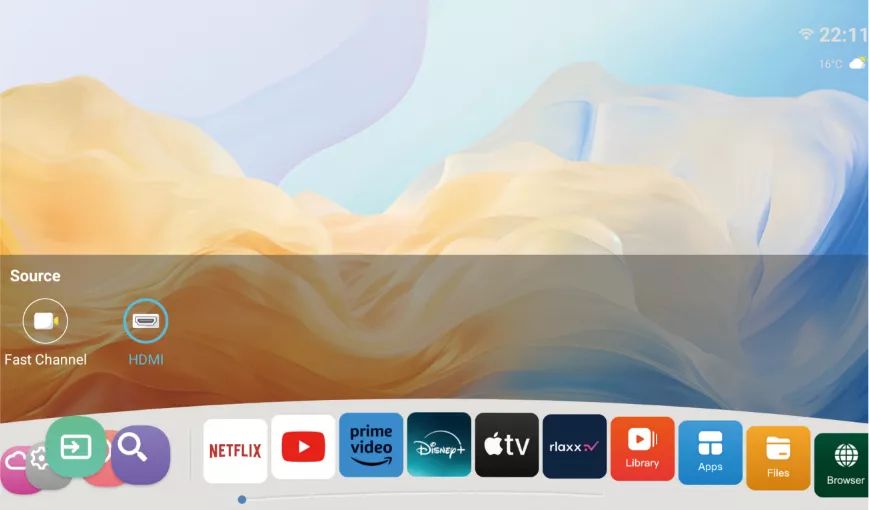
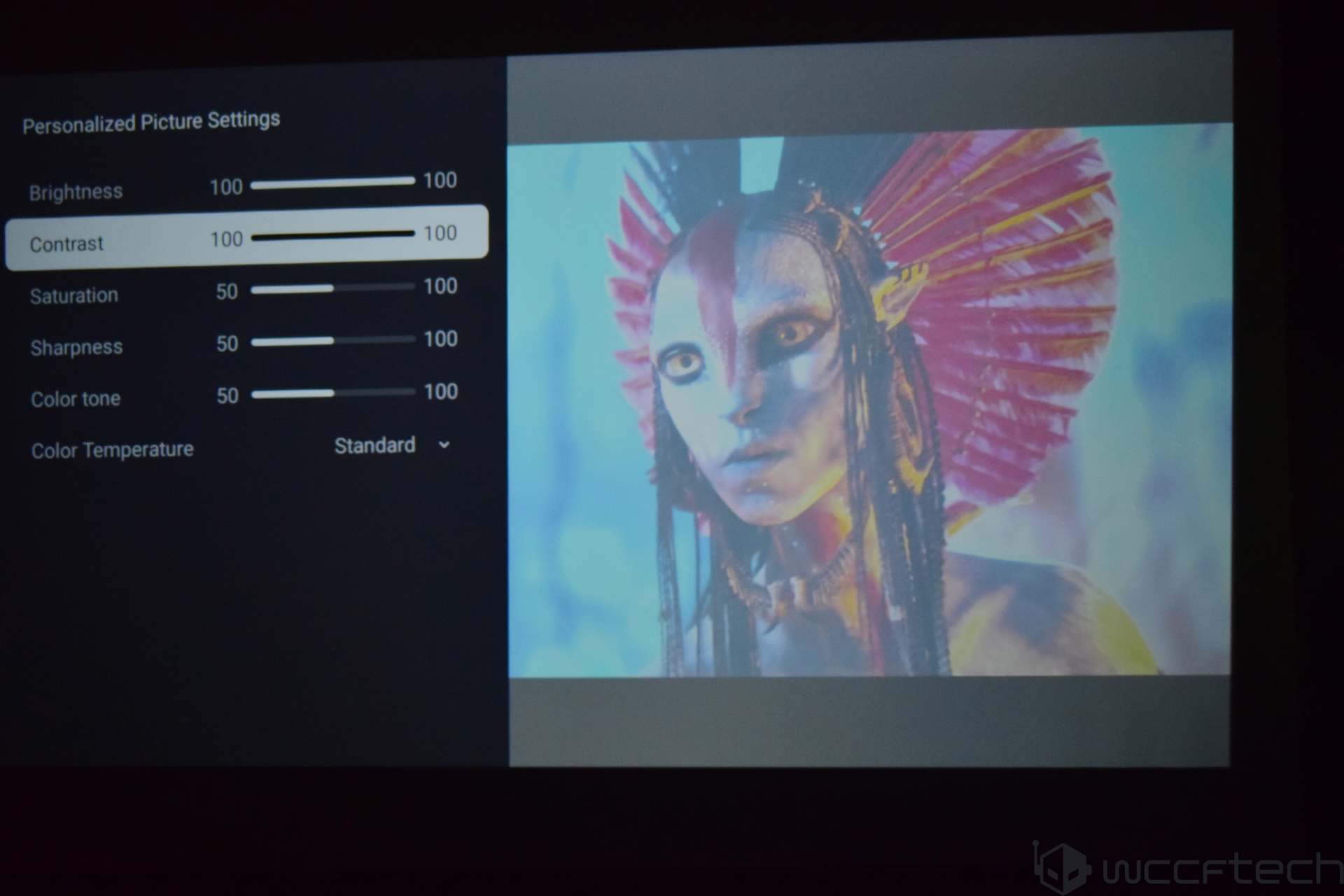
To adjust brightness, saturation, or contrast, users must select User mode. This setting also provides an Eye Protection mode and allows for color tone and temperature adjustments. Picture Mode offers five presets, with Dynamic mode being the most power-hungry.
The Lens tab offers options to modify the projection direction, as well as autofocus and keystone correction settings. While keystone correction is effective, the Obstacle Recognition feature is unfortunately non-functional. The projector supports autofocus, with the remote control providing manual focus adjustments if needed.
Setup and Performance
While the Gimbal N6 Pro should maintain a projection angle under 15 degrees, adjustments are possible beyond this angle, albeit requiring some manual intervention to prevent image blur. The device features intake and exhaust vents on its sides. Noise levels were minimal in standard mode but increased noticeably in Dynamic mode. For a seamless experience, the N6 Pro is largely plug-and-play, requiring minimal setup time thanks to its Whale OS system.
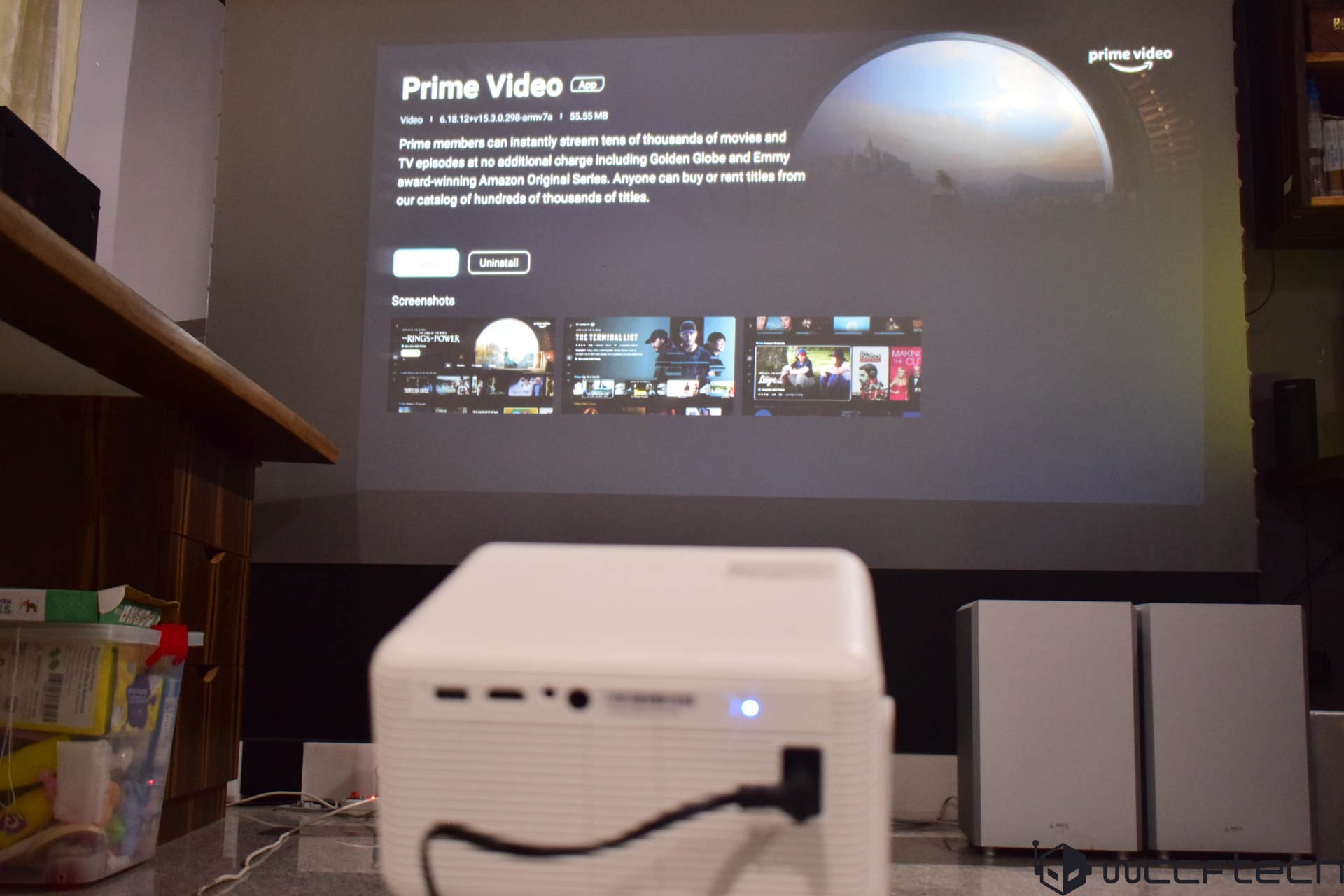
The N6 Pro is another example of a straightforward projector, demanding minimal setup. Some projectors take longer to initialize, but the Whale OS simplifies the process, though the interface could be improved. Once in the dashboard, users can access apps that can be downloaded upon internet connection.
Image quality is acceptable for a 1080p projector, though not the best. Testing with high-definition videos showed decent color reproduction and contrast, but brightness necessitates a darker room for clarity. While it surpasses the N2 Mini in brightness, there’s an issue when brightness is maximized.
When utilizing User mode to enhance brightness and contrast, the image became washed out, indicating ineffective contrast control. As a result, image quality suffered significantly, forcing usage at reduced brightness levels for optimal results.
Despite a maximum brightness of 700 ANSI lumens, true brightness was only achievable at 50-60% intensity. The N6 Pro’s dashboard navigation speed was satisfactory, but content streaming presented challenges. Instead of maintaining the current video upon exiting settings, it repeatedly returned to the homepage, causing frustration.
Navigating back from settings caused significant delays, taking an unacceptable 5 seconds to respond, likely due to the projector’s underwhelming hardware. This latency led to doubts about button responsiveness. Unfortunately, exact hardware details remain undisclosed.
The Verdict
The Gimbal N6 Pro holds promise but falls short in meeting expectations due to hardware constraints. While it excels in certain areas, the aforementioned issues hinder its recommendation. The projector offers versatility, decent connectivity, affordability, and a user-friendly interface but suffers from optimization issues. Improvements in hardware and performance are anticipated for future iterations.
6.8
WCCFTECH RATING
Gimbal N6 Pro does its job satisfactorily, and brings decent image quality coupled with good built-in speakers. However, the device needs optimizations and better hardware to compete with similarly-priced projectors.
- Native 1080p support
- Acceptable image quality
- Decent brightness
- Satisfactory interface
- Highly adjustable
- Built-in OTT apps
- Auto keystone correction
- Good connectivity
- Good speakers
Pros
- Extremely slow response in certain areas
- Image quality suffers badly at full brightness
- Lackluster build quality
- Problematic Navigation
- Obstacle avoidance doesn’t work